Setting Up Preview
Web Spotlight uses Kentico Kontent's "Preview" functionality in order to show the live view of the site within the UI.
To set up preview URLs for your project:
- In Kentico Kontent, choose Project settings from the app menu.
- Under Environment settings, choose Preview URLs.
- Type in the preview URLs for each type of preview-able content.
Example:
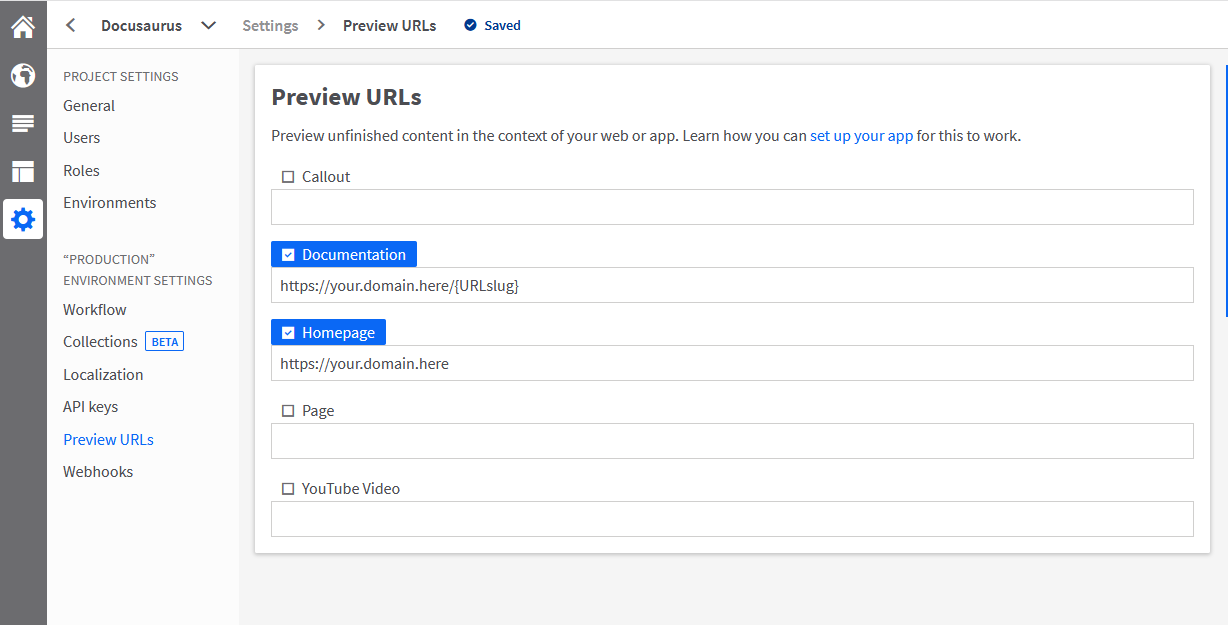
More details about setting up preview and Web Spotlight can be seen in the official Kentico Kontent documentation.
Running Preview Locally
Preview URLs require an https:// protocol and a URL accessible to Kontent. Without a valid SSL certificate, Kontent responds with secure connection errors.
When developing apps locally, see how to serve pages over HTTPS in combination with ngrok's forwarded address.